Submitting a Ticket
- Tickets can be submitted two ways
- Through the Portal after login by clicking on the ‘Submit a ticket’ in the top right hand corner.
- Sending an email to support@indexdata-help.freshdesk.com
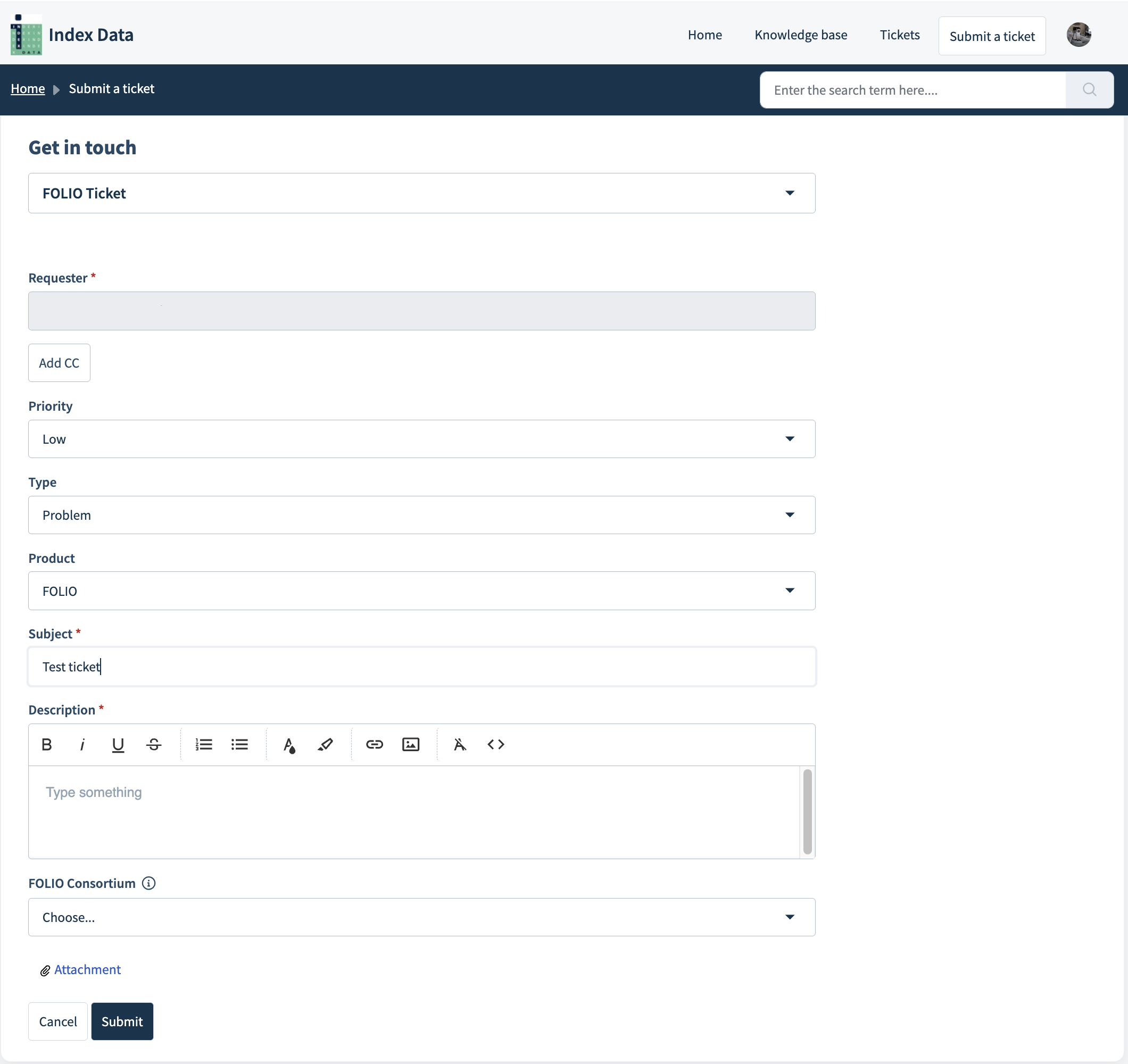
- There are 5 ticket forms in the Portal: FOLIO, ReShare, VuFind, Outage (wake someone up!), Report an Issue
- Choose the ticket form that best represents the product around which your ticket centers. For example, if you are representing a ReShare consortium with a VuFind problem, choose the ReShare ticket form. The ReShare ticket will have a place for you to note that the problem is with VuFind. The original ‘Report an Issue’ form will still be available in case the other forms don’t meet your needs.
- The Outage (wake someone up!) form should be used for emergencies only.
Sample Ticket Form
Ticket List
- You can view all tickets submitted by you and your library colleagues by clicking on the ‘Tickets’ button at the top right corner of the screen.
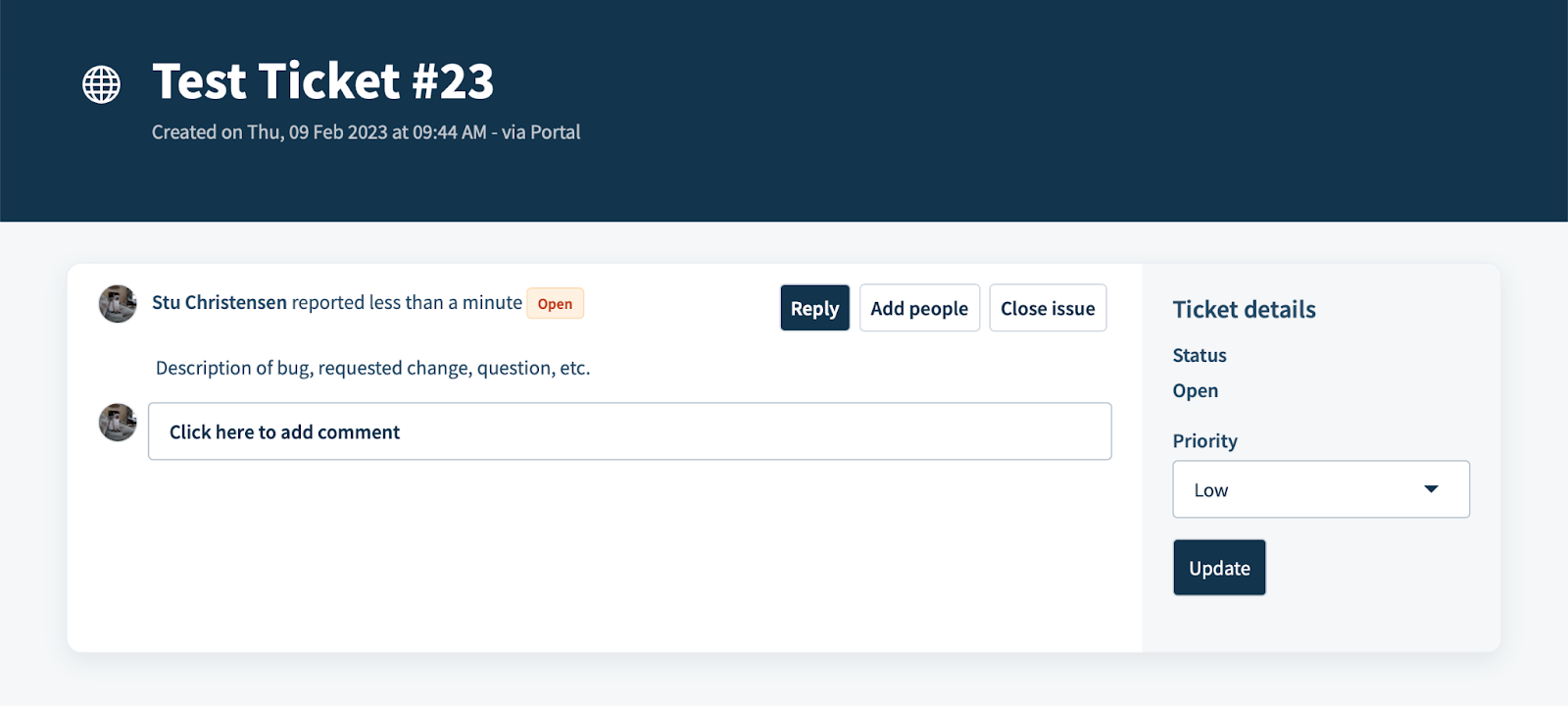
- After a ticket has been submitted, you can add Comments or attachments (by typing or clicking in the text box), add colleagues to the ticket (click ‘Add people’), change the priority (choose from the dropdown and click ‘Update), or Close the ticket (click ‘Close issue’) from within the ticket details.
Sample ticket
- A list of tickets can be filtered by Priority, ReShare Consortium & member, FOLIO Consortium & member, Product.
- A list of tickets can be exported via CSV or Excel with various ticket fields and from a specific time period.
Glossary
- Priority
- Low : an issue or quirk with no real impact, but that needs to be addressed
- Medium : a bug with a workaround; a functional enhancement
- High : a serious problem or major hassle without a workaround
- Urgent : a major/critical blocker that prevents a library from functioning
Status
- Pending : hasn’t been reviewed by your account lead
- Open : being addressed
- Resolved : ticket has been addressed and presumably the need has been met ; customer might be reviewing
- Closed : issue has been resolved
- Awaiting your reply : ID is waiting on requester for additional information
- Will be fixed in the next upgrade : the next FOLIO or ReShare release, hotfix, service patch, etc. will fix the issue
- Waiting on FOLIO Community : the issue is something the FOLIO community must address
- Waiting on ReShare Community : the issue is something the ReShare community must address
- Waiting on VuFind Community : the issue is something the VuFind community must address
- VuFind Funding Candidate : the issue will require funded development
Was this article helpful?
That’s Great!
Thank you for your feedback
Sorry! We couldn't be helpful
Thank you for your feedback
Feedback sent
We appreciate your effort and will try to fix the article